Read the conditions
Apparent and true wind, heading, course, speed and depth from Signal K. Switch to the red-on-black Night Mode after dark.
Sailing · Boating · Road · Hike
From the first mile to the last anchorage. Record the passage, bring your routes and photos together, and publish the journey as a story worth keeping.
Made for Mac, iPad & iPhoneFree to view. One purchase to create on Mac, iPad and iPhone.

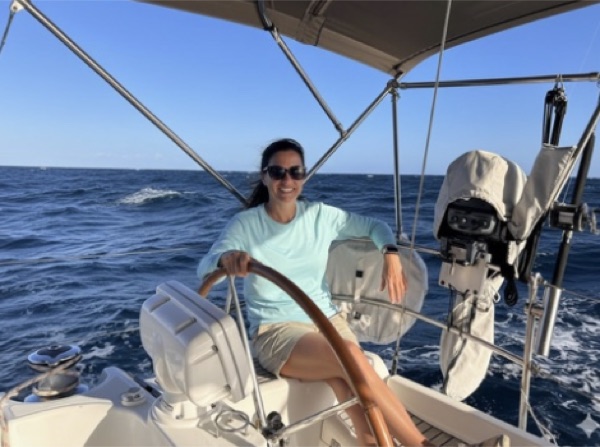

The live logbook · New on iPhone in 1.5
Keep an ongoing Sailing or Boating trip in view. Log brings your instruments, live position and the day’s entries together, and on iPhone, Start Passage records the route even with the screen locked.
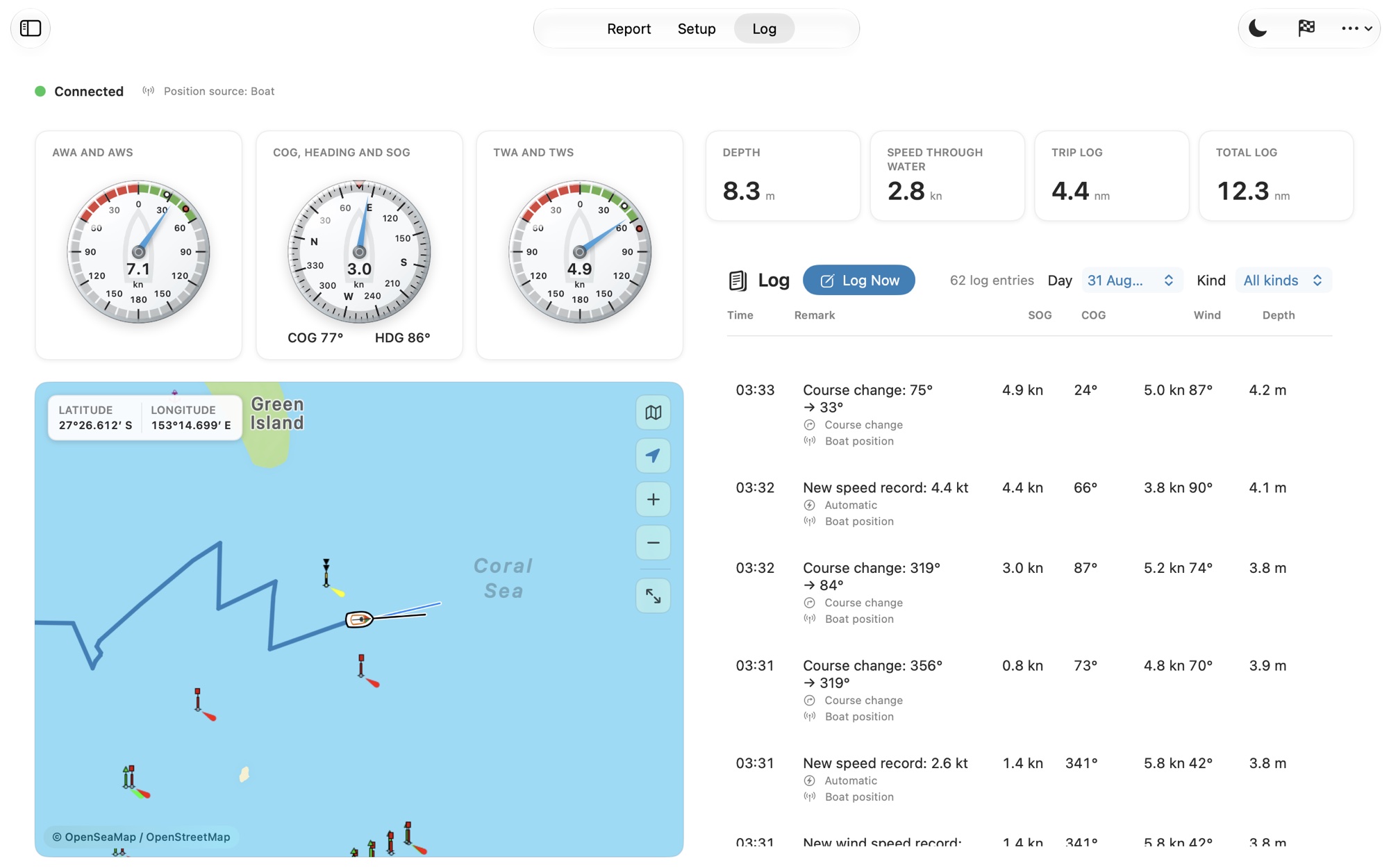
Apparent and true wind, heading, course, speed and depth from Signal K. Switch to the red-on-black Night Mode after dark.
Use Log Now to save the time, position and current instruments, then add a remark. Boat log entries join the same daily timeline.
Follow distance, elapsed time and speed on the iPhone Lock Screen and Dynamic Island. End Passage saves its map, distance, duration and arrival stop.
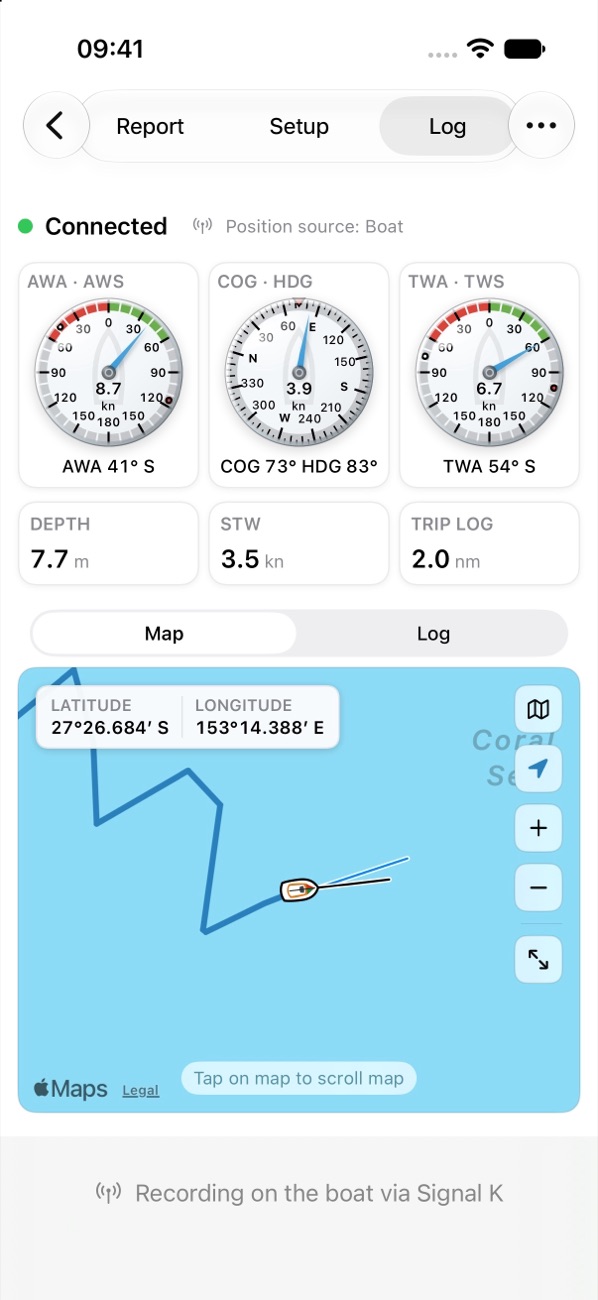
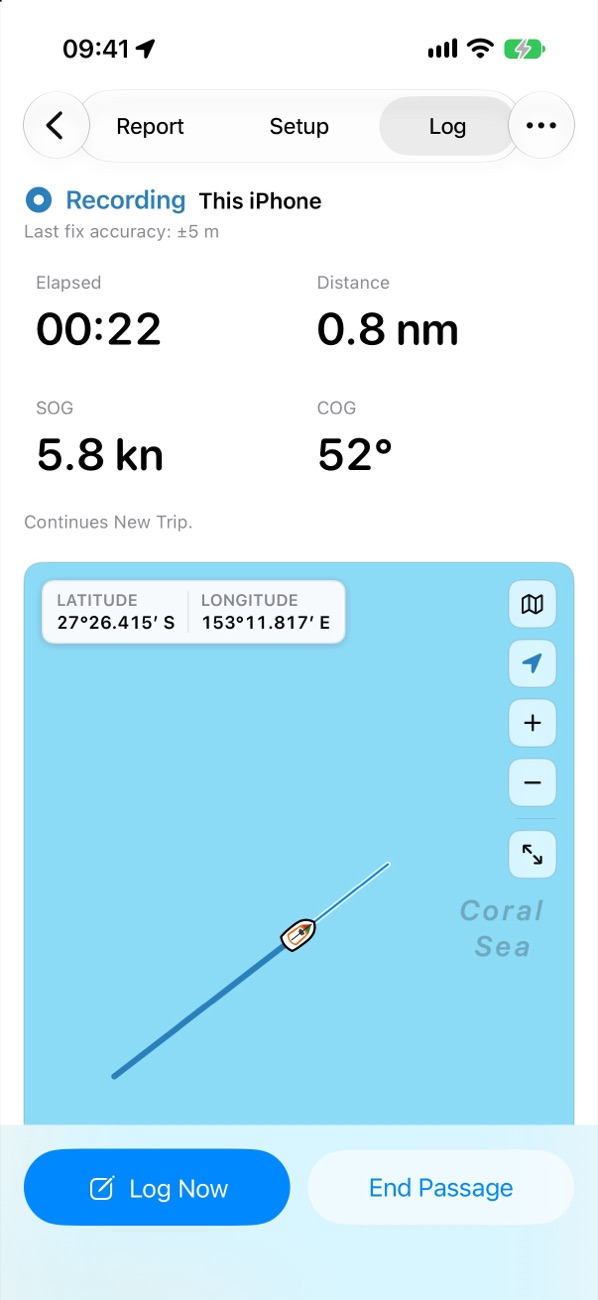
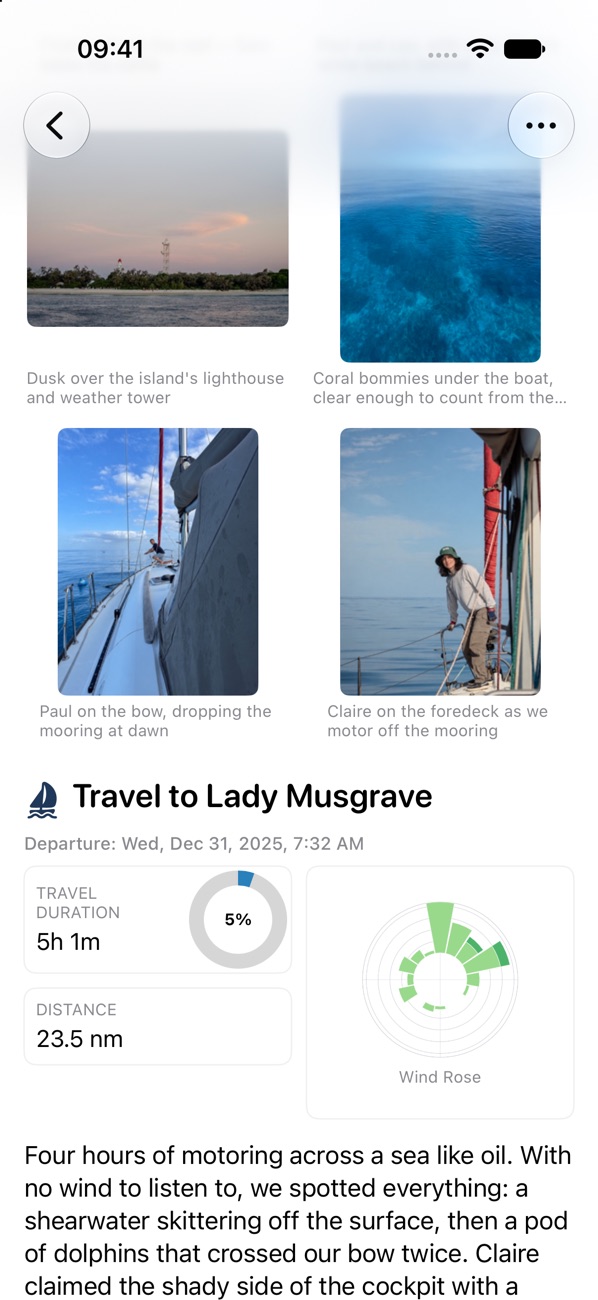
Live instruments require a compatible Signal K source. Without it, this device’s location supplies position, speed and course. iPhone records a position about every two minutes, in the background and with the screen locked; on Mac, the app must stay in the foreground.
Connection & Log guideFrom a track to a travelogue
The places you stopped. The photos you took. The details you want to remember. Passagebook brings them together in a report that feels like your trip.
Record a passage on iPhone, keep a live marine log, import a GPX track, or bring in recorded Signal K data. On iPhone, the new-trip guide takes you through each step.
Build stops and legs, align photos to the route, and add your own notes. Matched edits stay with you when tracks are refreshed.
Publish the report on passagebook.app, create Post and Story images, export PDF on any device or HTML on Mac, or invite others to a read-only trip through iCloud.

Beyond the water
Four trip profiles, with maps, language and statistics that fit the journey.
Passages, anchorages, wind and tacks.
Marinas, motoring legs and time on the water.
Drives, stopovers and the miles between.
Trails, rest stops and elevation gained.
One trip, every device
Create, import and refine your trips on a larger screen. Draw missing routes or retrace Road trips from photos.
Create trips with the new-trip guide, record passages, edit tracks, stops and photos, and publish your reports.
Keep your library in sync and share only the trips you choose. One Creation Unlock covers Mac, iPad and iPhone.
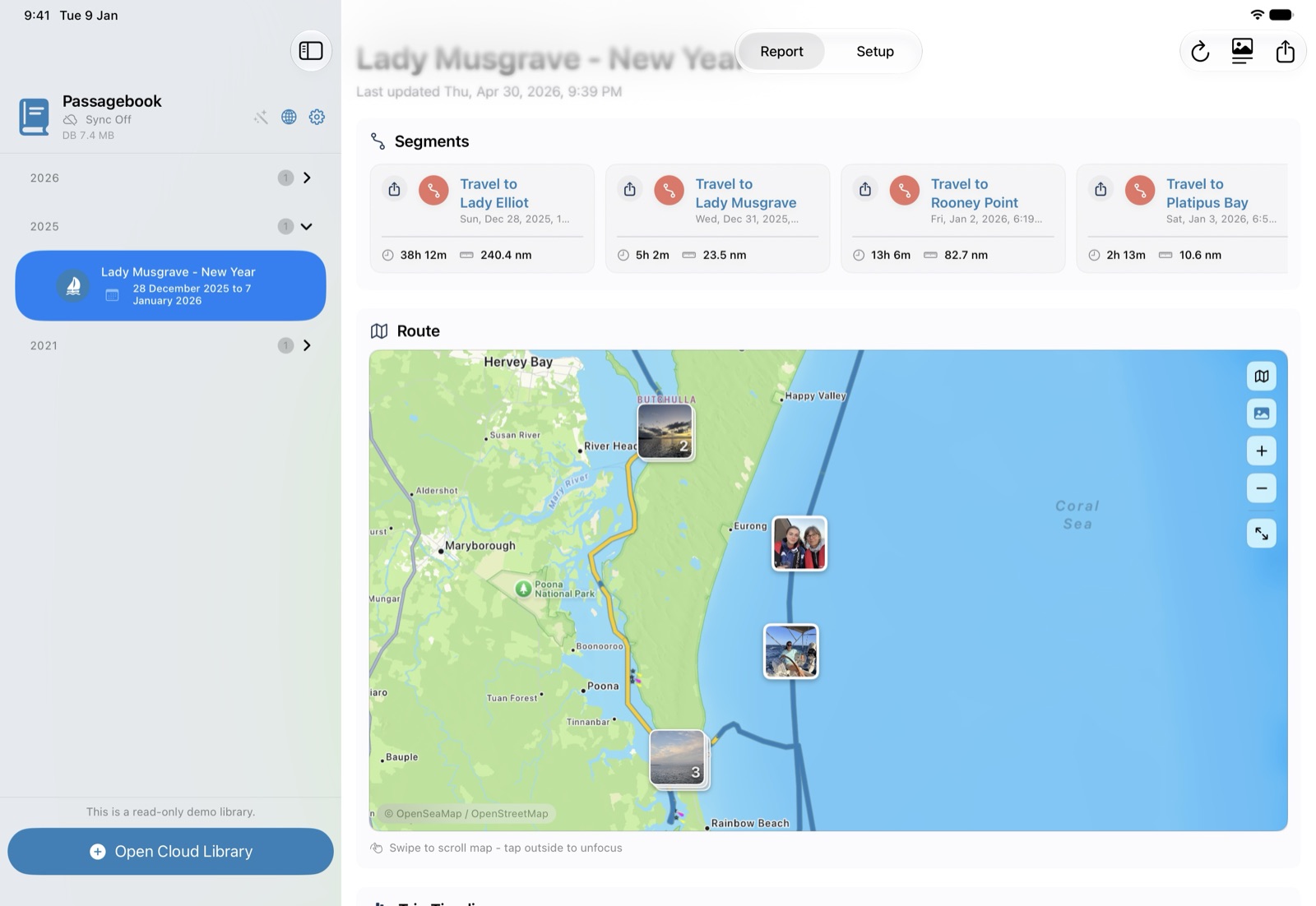

Share the story · New in 1.5
Publish a Sailing report on passagebook.app with the photos, captions and notes you choose, then share its link. Readers can switch between English and French.
Up to 36 photos per report during the hosted pilot. Creation Unlock includes a 30-day hosted trial from your first publication; monthly or annual plans keep reports online.
Free. One page for all your Sailing trips, with interactive routes, stops, statistics and links to your published reports. Photos, notes, crew details and raw log text stay private.
Share a still card with your route, a key photo and the trip’s statistics.
Publish, update or withdraw from Mac, iPad or iPhone. To use your own domain, export the Online Logbook website on Mac or iPad.


Built for the long passage
A logbook should outlast the voyage. Passagebook is designed, built and supported by Maison Les Place, around your data, open formats and your own choices.
Trips live on your devices and in your own iCloud. The app carries no advertising, analytics or third-party tracking, and you choose exactly what to publish.
Import GPX tracks and Signal K, the open marine data standard. Export PDF on any device, self-contained HTML on Mac, and your Online Logbook website on Mac or iPad.
One permanent Creation Unlock covers Mac, iPad and iPhone. Viewing, exports and the Online Logbook stay free; hosting full reports is optional.
Built for Mac, iPad and iPhone, with iCloud sync, read-only trip sharing, and passage progress on the iPhone Lock Screen and Dynamic Island.
A complete Help Book in English and French is built into the app, alongside an online FAQ and a support desk that replies by email.
Your next trip
Bring routes, notes, and photos together with Passagebook.
Viewing, exports and the Online Logbook are free. Creation and editing use one permanent purchase for Mac, iPad and iPhone; new users get a free seven-day trial. Hosting full reports on passagebook.app is a separate monthly or annual subscription, and the purchase includes a 30-day hosted trial.